Product
Also in Yunify
One queue, whatever channel it came from
An order taken in a DM, sent as a spreadsheet, or placed on your storefront ends up in the same place — with the stock behind it counted per size and colour, not per style.
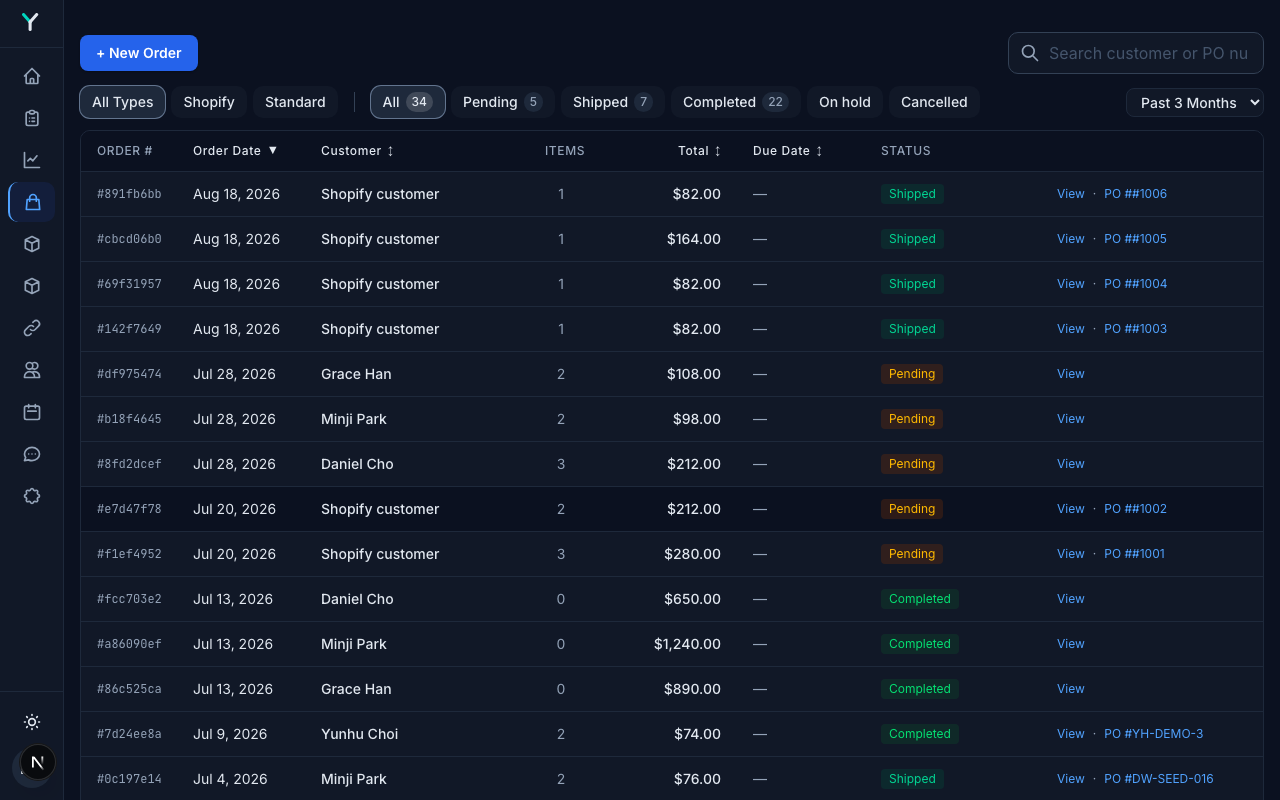
Every order in one place
Filter by what needs doing rather than by where it came from. A spreadsheet or a PDF is read once and becomes an order, lines and prices included — nobody retypes it.
- Pending, shipped and completed as filters with live counts
- Spreadsheets and PDFs read into order lines
- Reorders raised against what the queue is short of
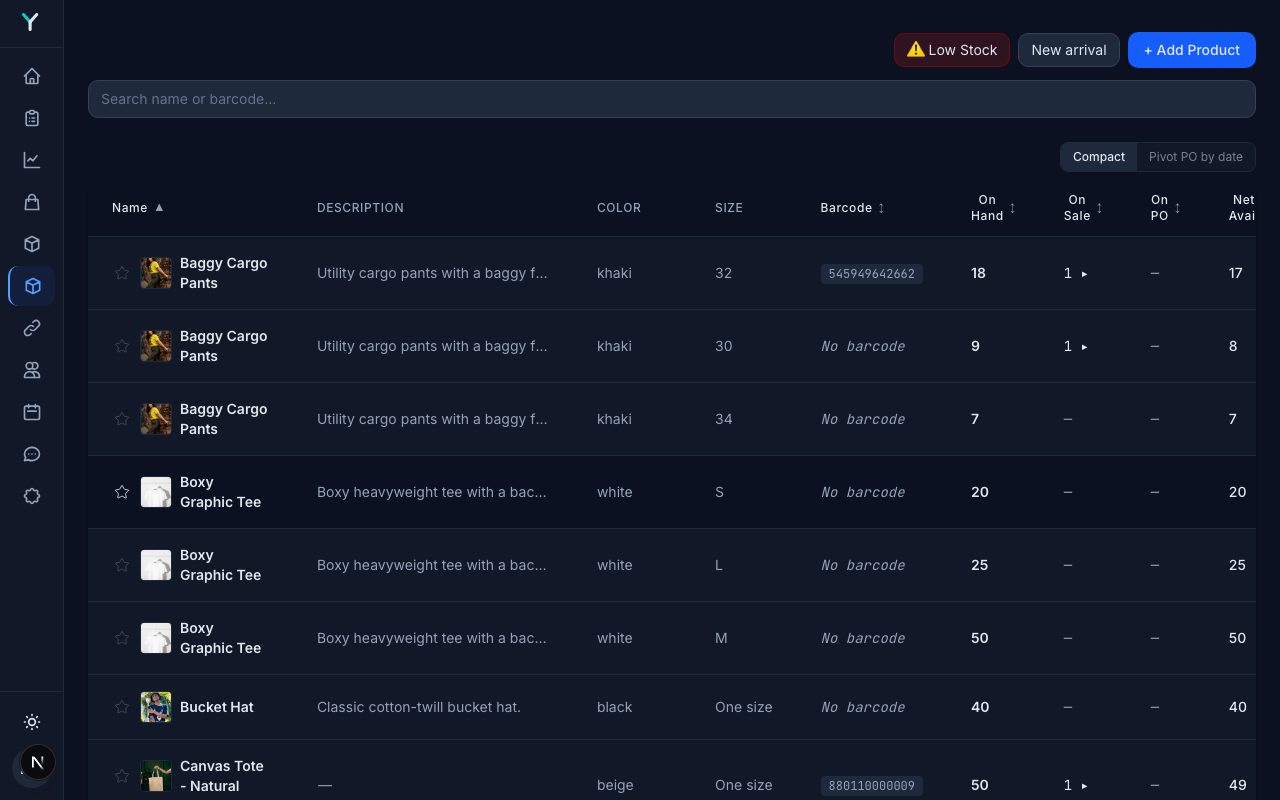
Stock per variant, not per style
A jacket is not one number. Yunify counts each colour and size separately, and separates what is on hand from what is already promised — which is the difference between selling something twice and not.
- On hand, on sale, on order and net available, per variant
- Barcodes per variant for scanning
- Counts draw down as orders go out
We set it up with you, and the first 3 months are free
Not a signup form and a help centre. We load your catalogue, connect your Instagram, and stay on the call until the first replies are going out — included, however many styles you carry.
Questions we get
We already use QuickBooks. Does that still work?
Yes, with QuickBooks Desktop. Invoices and bills flow between the two, and your QuickBooks customers and products come across, so nobody keys the same order twice.
Do Shopify orders come in here too?
Yes. Storefront orders land in the same queue as the ones you took in a DM, so there is one list to work rather than two tabs to reconcile.
We are small. Is this too much system?
The queue and the stock counts are the whole of it for most sellers. The heavier tools — picking, delivery routing, the warehouse screens — are there when you grow into them, and nothing makes you look at them before that.
See it against your own catalogue
A short call, your products on screen, your questions answered.